Affiliate Disclosure: This post may contain affiliate links. If you buy through them, HavenWise Living may earn a commission at no extra cost to you. This guide is meant to help you compare ergonomic keyboard types and buying criteria, not to claim hands-on testing of every keyboard on the market.
The best ergonomic keyboard for typing is not automatically the most expensive one, the most aggressive-looking split model, or the one with the biggest list of buzzwords. A good keyboard has to fit how long you type, how sensitive your wrists and shoulders are, how much desk space you actually have, and whether you are willing to adapt to a new layout for better comfort over time.
That matters because many buyers end up disappointed for predictable reasons. They buy a keyboard that looks ergonomic but has almost no real adjustability. Or they buy a full split model when they mainly wanted a gentler wrist angle and quieter keys. Others go too small, lose navigation keys they use all day, and abandon the keyboard after a week. The right choice usually comes from matching layout and feel to your routine, not from chasing the most dramatic design.
If you type for work, study, coding, or long-form writing, the goal is simple: reduce awkward wrist extension, reduce unnecessary shoulder tension, and keep the keyboard comfortable enough that you will actually keep using it. That means paying attention to layout, tenting, key feel, platform support, wireless behavior, and how the board fits with the rest of your desk setup.
What makes a keyboard ergonomic in the first place?
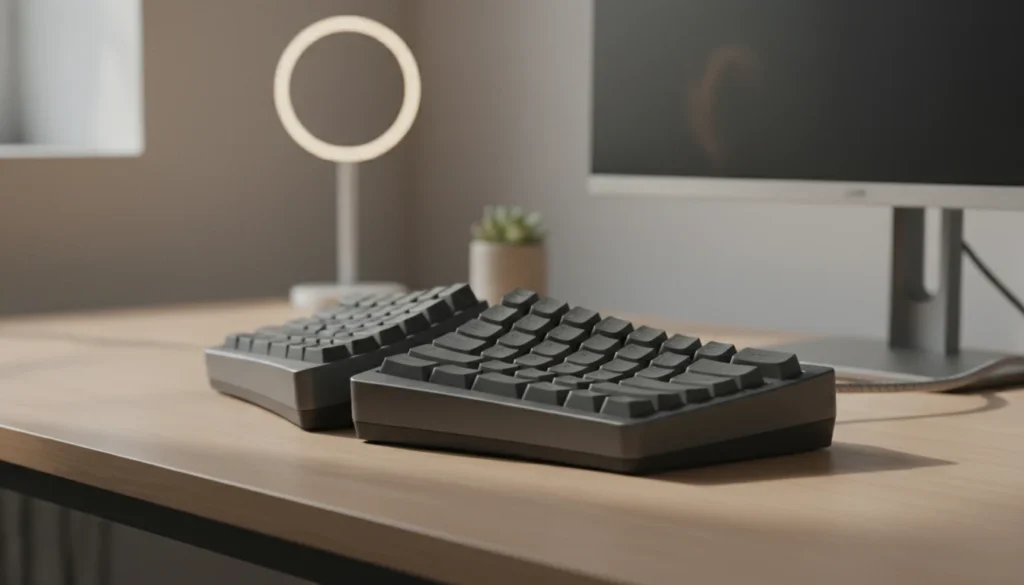
An ergonomic keyboard tries to reduce strain created by the standard straight keyboard shape. Traditional boards often pull the forearms inward, flatten the wrists, and encourage a typing angle that is comfortable only for short bursts. Ergonomic designs try to improve one or more of those problems.
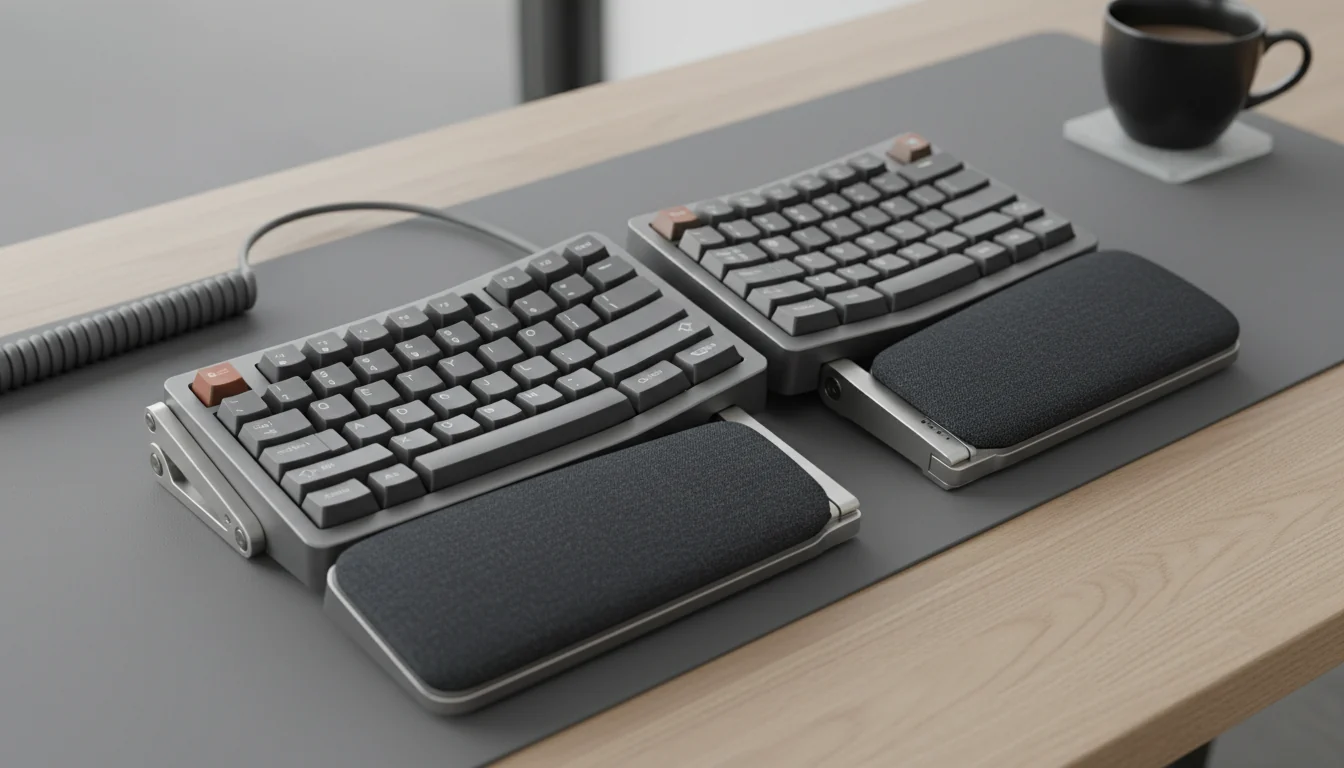
- Split or angled layout: helps the forearms sit in a more natural position instead of forcing both hands inward.
- Tenting: raises the center or sides so the forearms rotate less aggressively.
- Lower front height: can reduce wrist extension, especially if you type for hours.
- Wrist-rest compatibility: useful when it supports the palms lightly without forcing you to bend at the wrists.
- Programmable layers or shortcuts: can reduce repeated reaching if you rely on heavy keyboard workflows.
In practice, ergonomic does not always mean radical. For some people, an Alice-style keyboard with a mild center angle is enough. For others, especially if they already have pain or spend full workdays typing, a true split keyboard with adjustable tenting may be the more realistic long-term fit.
The main ergonomic keyboard types and who they usually suit
1. Alice or curved one-piece keyboards
These are often the easiest entry point. They keep one body, so setup is simple, but angle the key clusters to reduce inward wrist rotation a bit. If you want something that feels familiar while still being more comfortable than a normal board, this category makes sense.
Best for: people moving away from a standard keyboard for the first time, office users who want less disruption, and typists who still need a familiar footprint.
Watch out for: limited adjustability compared with a true split design. If your discomfort comes mostly from shoulder width or strong inward arm rotation, this may not go far enough.
2. Fixed split keyboards
These separate the left and right key zones but keep them connected in one chassis. They usually improve hand position more clearly than Alice boards, while still avoiding the learning curve of two fully independent halves.
Best for: typists who want stronger ergonomic changes without fully committing to separate halves.
Watch out for: you cannot tune the spacing much. If your shoulders are broad or your desk posture varies a lot, fixed spacing can still feel limiting.
3. Fully split keyboards
This is the most adjustable category. You can move each half to match shoulder width, chair position, or even alternate setups during the day. Many serious ergonomic users end up here because it gives the most freedom.
Best for: long typing sessions, users with shoulder or forearm strain, tinkerers who want custom positioning, and people who already know a standard keyboard feels wrong.
Watch out for: more adaptation time, more cable or wireless-management decisions, and sometimes a steeper learning curve for layers, thumb clusters, or nonstandard key placement.
4. Low-profile ergonomic keyboards
These reduce key height and often feel faster and lighter under the fingers. They can be a strong fit if tall mechanical boards force your wrists upward or if you want a lighter, quieter office setup.
Best for: shared workspaces, lighter typing feel, and people who dislike the height of many mechanical boards.
Watch out for: less tactile feedback if you rely on strong key confirmation, and fewer switch options on some models.
Buying criteria that matter more than marketing
When comparing ergonomic keyboards, these are the filters worth using first.
| Decision factor | Why it matters | Good sign | Common red flag |
|---|---|---|---|
| Layout type | Determines how much posture change you actually get | Design matches your typing hours and comfort goals | Buying an extreme layout just because it looks “more ergonomic” |
| Tenting or angle options | Can reduce forearm rotation strain | Multiple stable angle settings | Marketing mentions tenting but board barely changes position |
| Key feel | Affects fatigue, speed, and noise | Clear info on switch type, travel, and actuation feel | No meaningful detail beyond “smooth typing” claims |
| Platform support | Important for Mac/Windows shortcuts and remapping | Dedicated OS support or easy remap tools | Mac legends missing or software limited to one platform |
| Connectivity | Changes desk simplicity and portability | Stable wired mode or reliable multi-device wireless | Wireless convenience with laggy wake-up or weak battery life |
| Desk fit | Even good keyboards fail if the setup is awkward | Works with your tray, wrist rest, mouse reach, and monitor placement | Keyboard solves one problem while making mouse position worse |
How to choose based on your typing routine
A smart ergonomic keyboard purchase starts with the amount and style of typing you do.
- Mostly email, documents, and office work: a mild ergonomic board or Alice layout may be enough if you want comfort without a major relearning period.
- Coding, writing, or data-heavy work for hours: split layout, stable tenting, and programmable shortcuts usually matter more.
- Hot-desk or hybrid work: lower weight, wireless flexibility, and fast switching between devices become more important.
- Existing wrist or forearm discomfort: prioritize adjustability, front height, and desk posture fit before aesthetics.
- Shared office or quiet home setup: low-profile or quieter switches may be better than loud mechanical tactility.
The more hours you type, the less useful superficial features become. RGB lighting, flashy metal shells, or aggressive gamer styling do not help if the keyboard is too high, too cramped, or wrong for your platform.
Split layout vs one-piece: which is better?
Neither is automatically better for everyone. A one-piece ergonomic keyboard is easier to adopt and usually easier to keep centered on the desk. A split board gives more posture freedom, especially if your shoulders, elbows, and mouse placement never feel quite right on a normal board.
If you are unsure, ask one practical question: do you need mild relief from a standard layout, or do you need the freedom to place each hand where your body naturally wants it? If the answer is the second one, split designs usually justify their learning curve.
Also remember that a split keyboard is only part of the ergonomic picture. If your chair is too low, your desk is too high, or your mouse is still too far out to the side, the keyboard alone will not solve everything.
Wired vs wireless for ergonomic keyboards
Wireless sounds cleaner, and for many desks it is. But it is not always the better choice. A wired keyboard usually gives you fewer charging interruptions, simpler troubleshooting, and stable performance. Wireless makes more sense when you switch devices often, move around, or want a tidier desk.
Choose wired if: your keyboard stays in one place, you want maximum reliability, or you use a fully split board with multiple cables and do not want battery management added to the mix.
Choose wireless if: you switch between laptop and desktop, care about visual simplicity, or need portability for hybrid work.
Just do not overvalue wireless convenience if the board’s layout, key feel, or software support is weak. The typing experience matters more than the cable count.
Why key feel matters almost as much as shape
People often shop ergonomic keyboards by layout first, which makes sense, but then underestimate how much switch feel changes fatigue. If the keys are too heavy, your fingers work harder all day. If they are too light, you may bottom out harshly or mistype more often. If the board is too loud, you may end up avoiding it in the office.
For long typing sessions, many users do best with a controlled, predictable feel rather than the most dramatic tactile bump. This is especially true if you are coming from laptop keyboards or standard office boards. A lower-friction adjustment period usually wins over a theoretically better switch that you never fully enjoy.
Desk setup mistakes that can ruin a good keyboard
A quality ergonomic keyboard can still feel disappointing if the rest of the setup is off. Common problems include:
- Keyboard placed too high, forcing the wrists upward
- Mouse too far from the body, creating shoulder strain
- Wrist rest too tall or too soft, encouraging compression instead of light support
- Monitor too low, causing neck tension that gets blamed on the keyboard
- Desk tray too shallow for a split board or angled layout
Before returning a keyboard, check the whole station. Sometimes the real fix is lowering the front edge, widening the halves slightly, or pulling the mouse closer rather than abandoning the board.
What to skip when shopping
- Empty “best overall” lists with no fit criteria. Good ergonomic advice should explain who a layout suits, not just rank products for everyone.
- Very high-profile boards without setup planning. Height can cancel out comfort benefits if your wrists are forced upward.
- Software-dependent boards with weak platform support. Especially risky for Mac users or mixed-device workflows.
- Overbuilt novelty designs. If the board looks ergonomic but lacks real adjustability or sensible key placement, it may be more aesthetic than functional.
- Buying based only on pain. Ergonomic gear can help, but persistent pain deserves medical attention too. A keyboard is not treatment.
Useful reference checks before you buy
For neutral comparison logic, it helps to read a few testers that discuss fit and tradeoffs rather than only feature lists. Wirecutter’s ergonomic keyboard guide is useful for adoption and comfort context. RTINGS also compares boards with detailed keyboard-layout and usability notes in its best ergonomic keyboards coverage. If you are building a more comfortable work setup overall, those references are worth using alongside your own desk measurements and daily typing habits.
Frequently asked questions
Is a split keyboard better for typing?
Often, yes, if your main issue is inward arm angle or shoulder tension. But a split keyboard is not automatically better for every user. If you want easier adjustment from a standard board, a milder ergonomic design may be the better first step.
Are ergonomic keyboards worth it for office work?
They can be, especially if you type for long stretches every day. The bigger the typing load, the more worthwhile comfort, angle, and key-feel improvements usually become.
Should I get a wrist rest with an ergonomic keyboard?
Only if it supports a neutral setup. A wrist rest should lightly support the palms during pauses, not force your wrists upward while typing.
What is the easiest ergonomic keyboard to get used to?
Usually a one-piece ergonomic or Alice-style layout. Fully split boards often offer more ergonomic upside, but they also ask more adaptation from the user.
Final takeaway
The best ergonomic keyboard for typing is the one that matches your body, your work pattern, and your desk reality. Mild ergonomic boards are often enough for lighter office use. Adjustable split boards make more sense when you type for hours and want more control over hand position. Focus on layout, tenting, key feel, platform support, and desk fit first. Everything else is secondary.
If a keyboard helps you keep a more natural wrist angle, lowers unnecessary tension, and still feels good enough to use every day, it is probably doing its job. That is a much better buying standard than chasing hype labels or generic top-pick rankings.